
Here you will find answers to the most frequently asked questions about the parent app. Click a question to read the answer.
-
Can I request an extra day?
No, you can’t swap childcare days at de Wonderberk. We understand that flexible days can be very practical for a family. Even so, together with the parent committee we have agreed on one clear policy that applies to all parents. There are two reasons for this. When swapping is allowed, we receive many requests every day. Each request means a lot of administration and rescheduling for the group and the office, because we must always meet the legal ratio of children to childcare staff. More importantly, it affects the children. When days keep changing, the make-up of the group keeps changing too. The children then see many different faces, which disrupts the calm, the predictability and their bonds with regular playmates. Can I request an extra day? Yes, you can request an extra day of childcare, which is charged separately. That may seem contradictory, but an extra day is much simpler to arrange than a swap. A swap means rearranging several days. For an extra day we only need to check whether there is still a place that day within the maximum group size and staffing. Extra days are also requested far less often, so the group stays stable. You can request an extra day through the parent app, and we’ll let you know whether there is room. -
I can’t change the BSN
That’s right. In the parent app, you can only enter the BSN (citizen service number) if the field is still empty. Is the number incorrect? Send a message to the office asking them to clear the field. You can then enter the correct number yourself in the app. Please don’t include the BSN in your message. For security reasons and under the GDPR, we don’t accept it by (unsecured) email. -
How does the parent app work?
The manual explains step by step how to use the parent app: logging in, viewing your schedule, requesting childcare and reading messages.
-
How do I request new childcare?
Would you like to request childcare for a brother or sister, or after-school care for a child who has started school? Create a new booking:
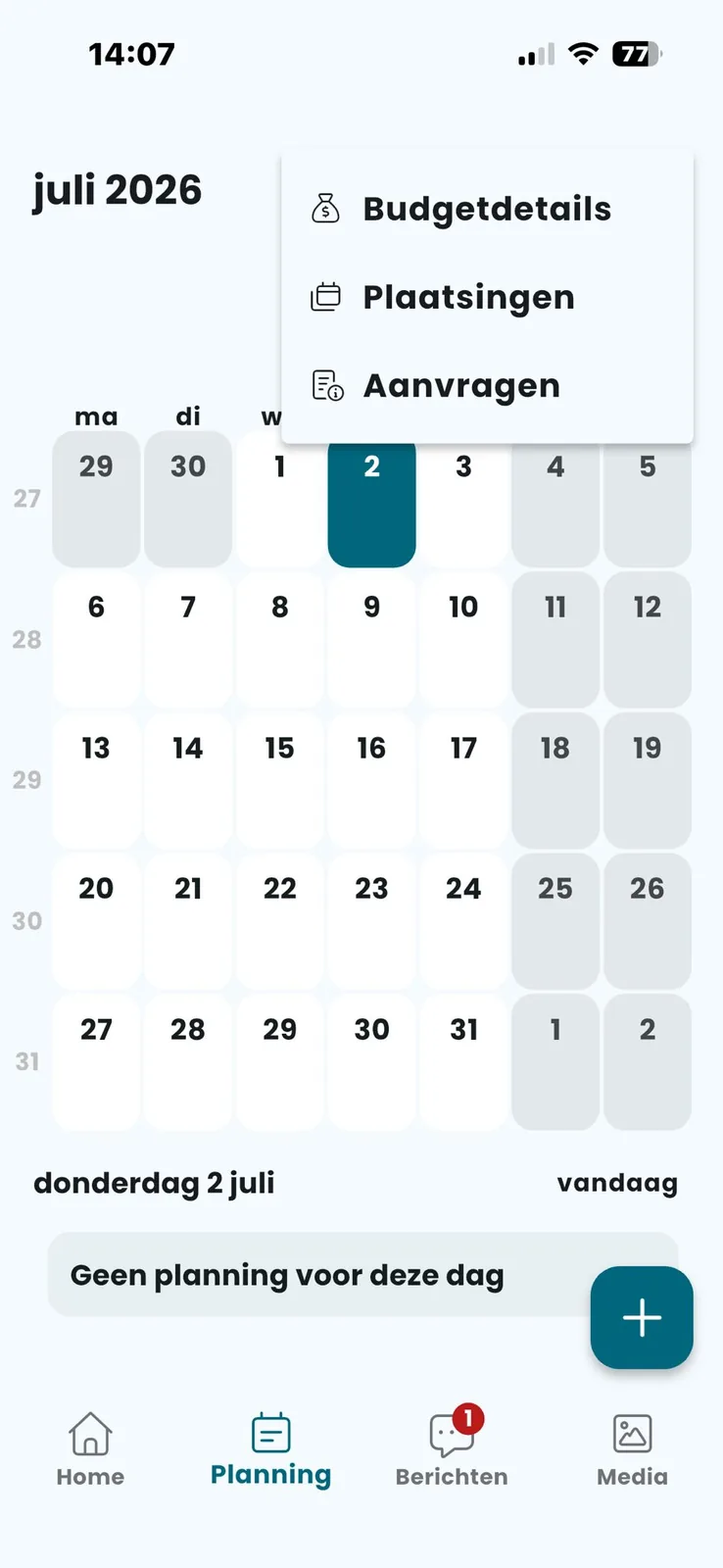
- Tap Planning at the bottom, then the three dots at the top right, and choose Plaatsingen (Bookings).
- Tap the plus button at the bottom.
- Choose the type of care and the days you would like, and send the request.
-
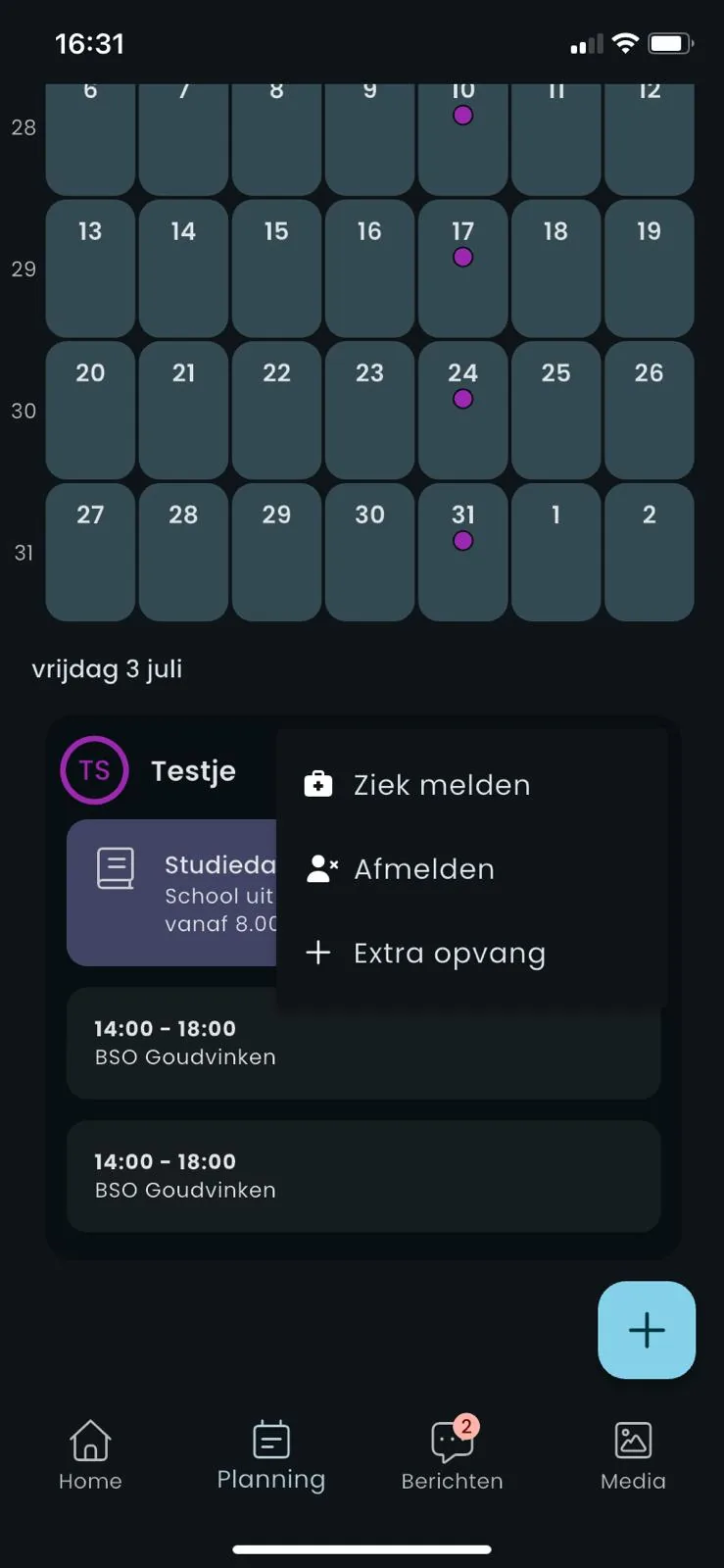
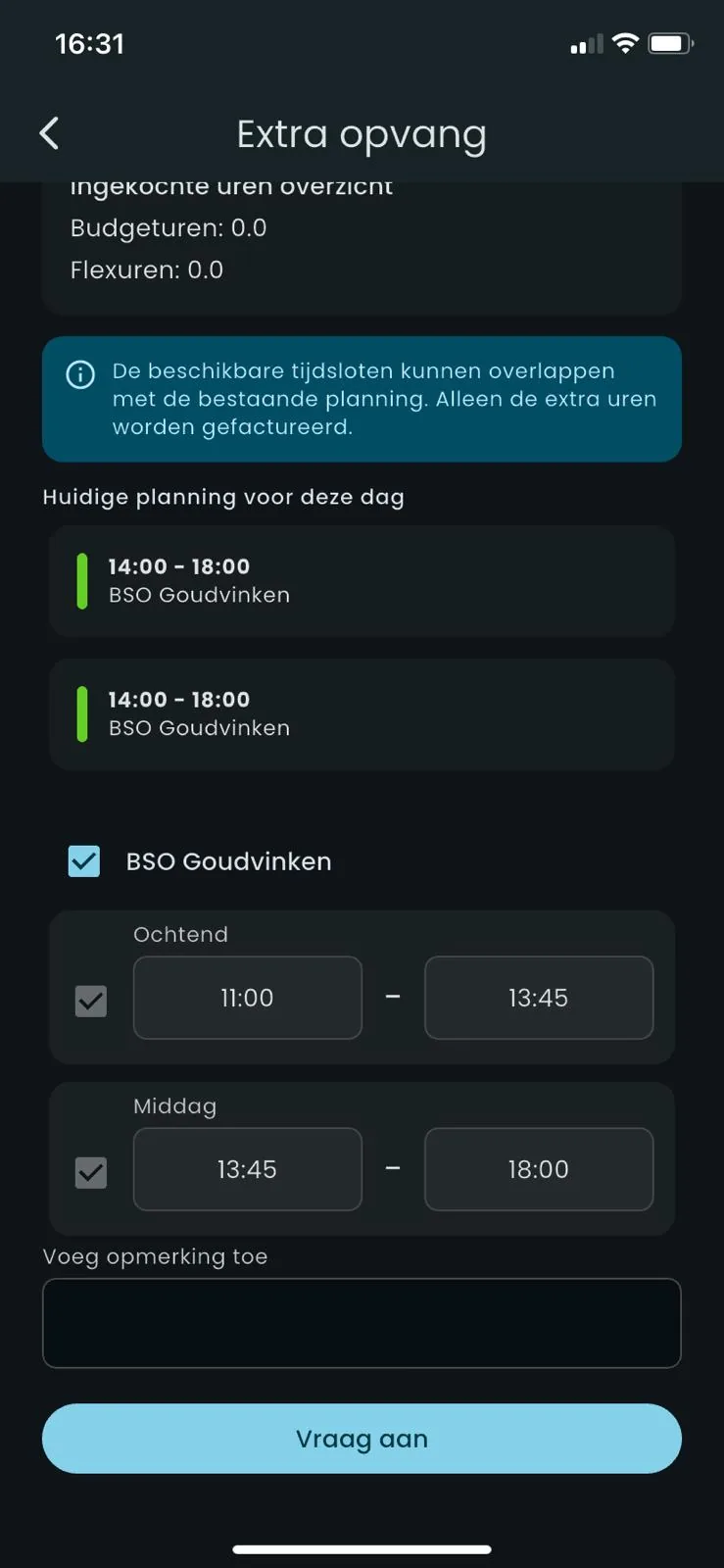
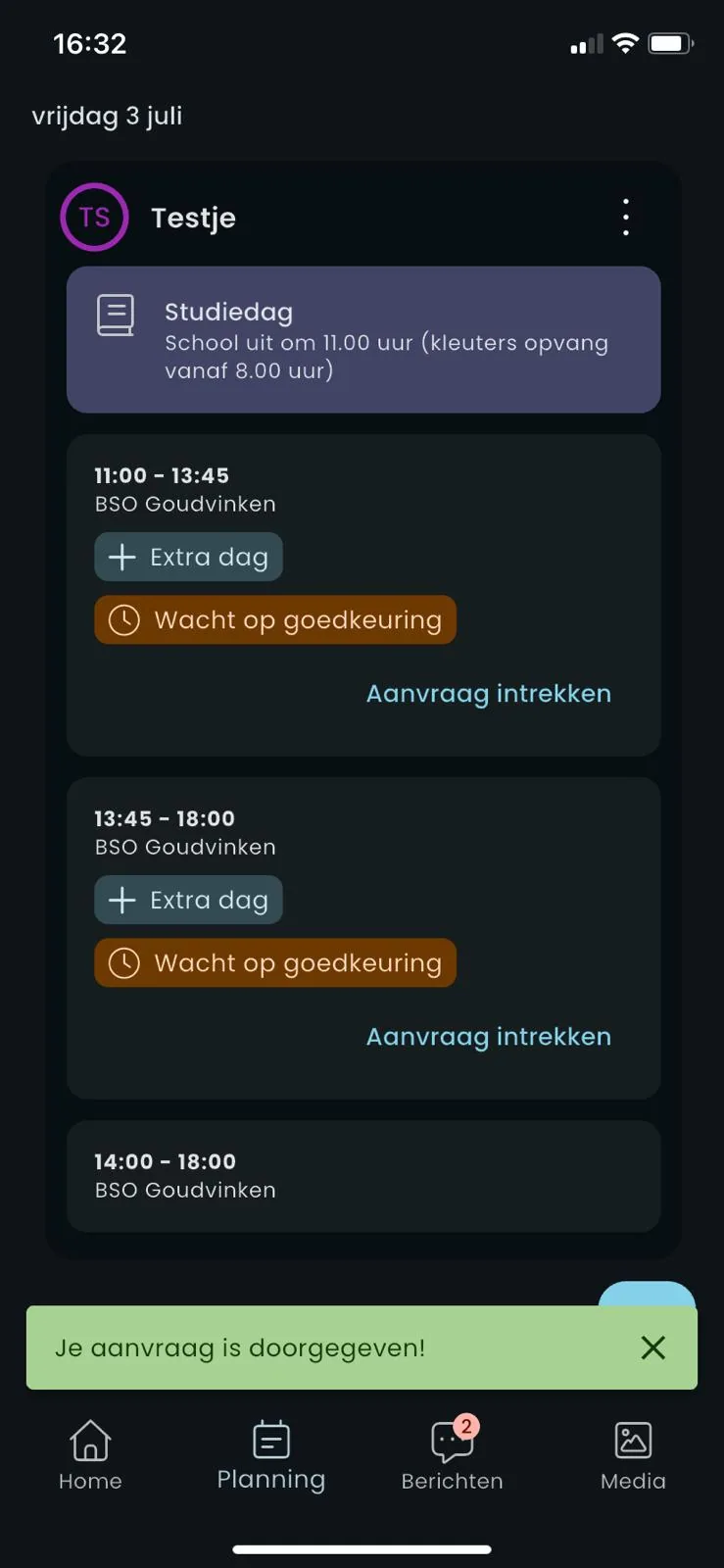
Requesting care on a school training day doesn't work. What should I do?
- Tap the day of the training day and choose Extra opvang (Extra care).
- Tick both parts of the day, including the afternoon your child would already attend.
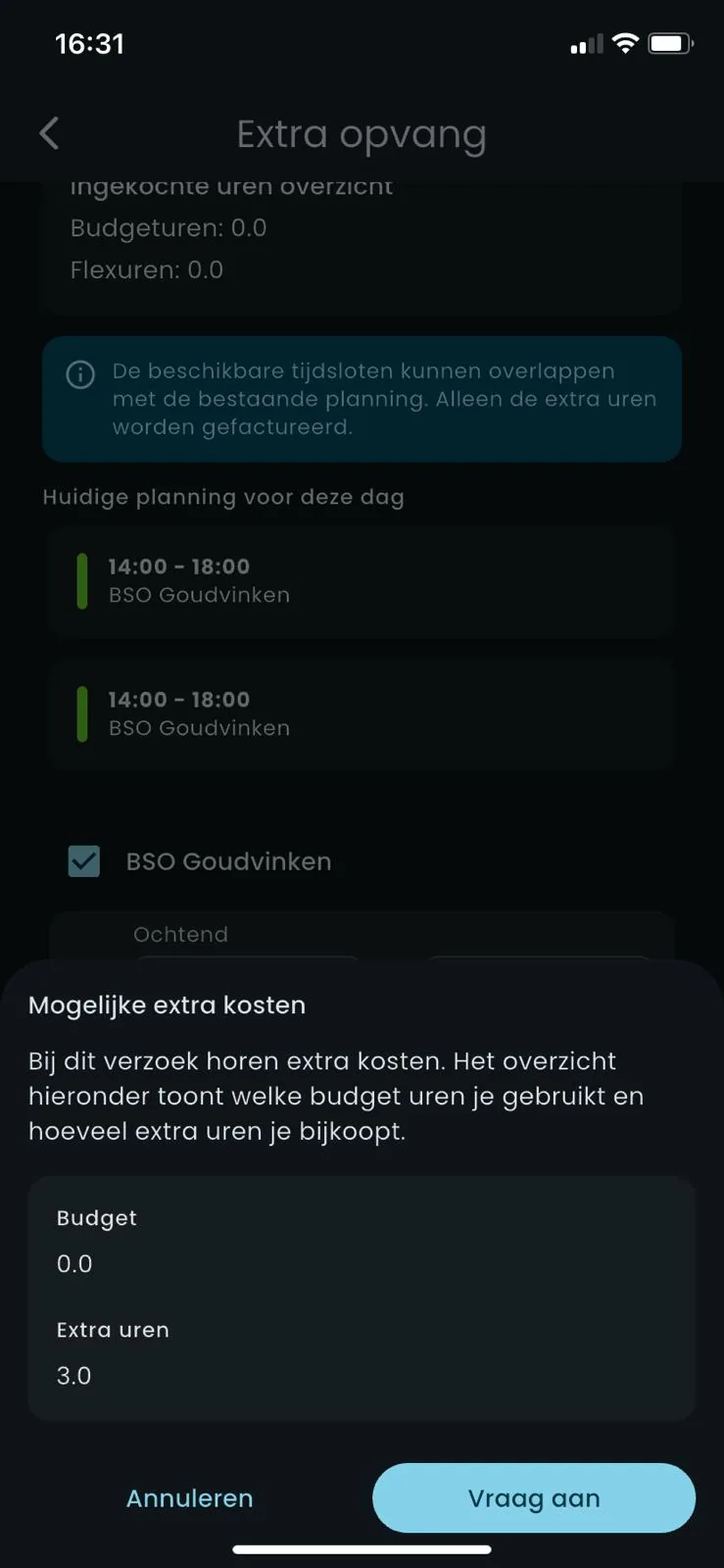
- Add a comment if you like and tap Vraag aan (Request).
You will then see a message that only the extra hours will be invoiced.
-
How can I see what I have requested and its status?
- Tap Planning at the bottom, then the three dots at the top right, and choose Aanvragen (Requests).
- Here you can see which requests are in progress, which have been processed, or all of them.
-
How do I add a brother or sister?
- Go to Home and tap your account (your profile picture) at the top right.
- Under Familie (Family), choose to add a child.
- Fill in the details and tap Volgende (Next).
Your child hasn't been born yet? Enter "Baby" as the first name and the due date as the date of birth.
-
How do I change an existing booking?
Would you like to change your days? This is how you request a change:
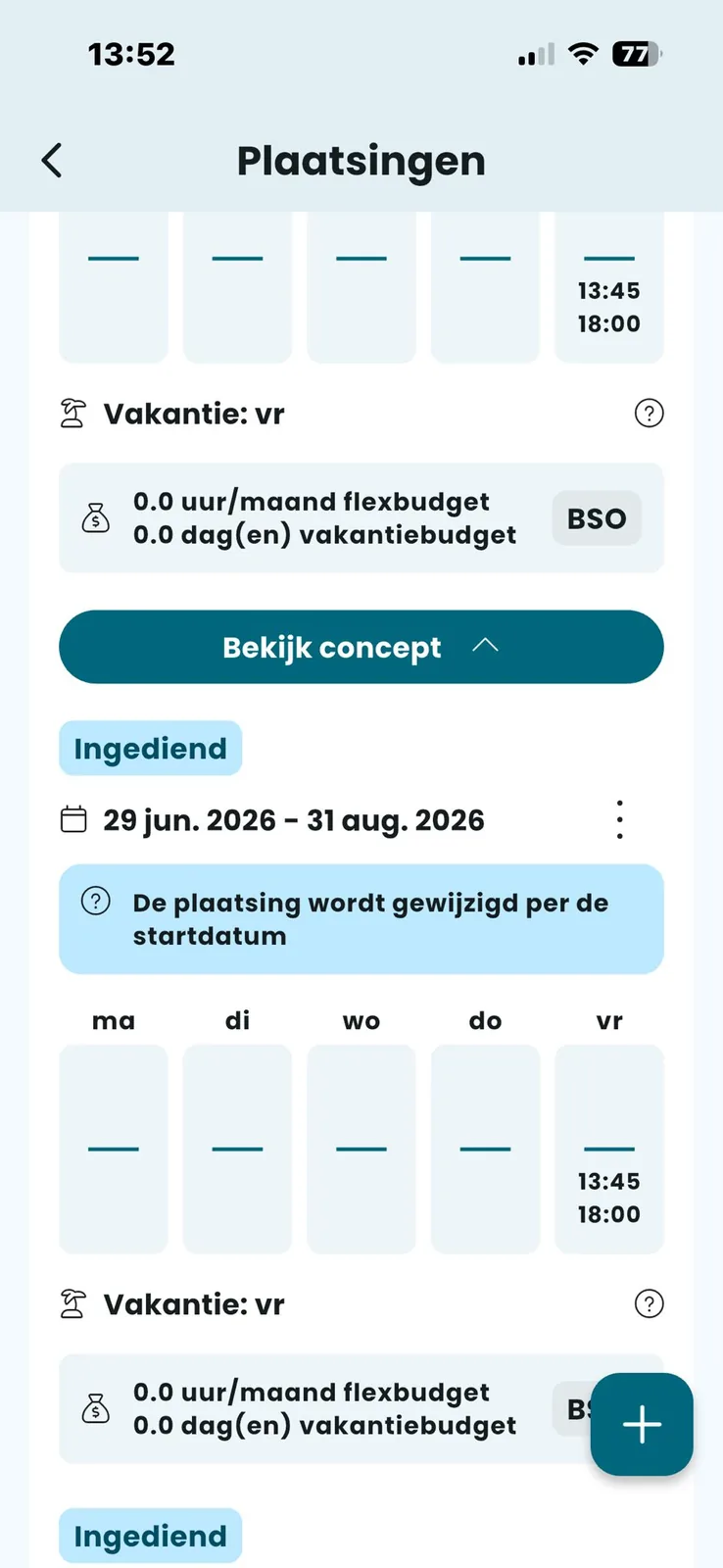
- Tap Planning at the bottom, then the three dots at the top right, and choose Plaatsingen (Bookings) (screenshot 1).
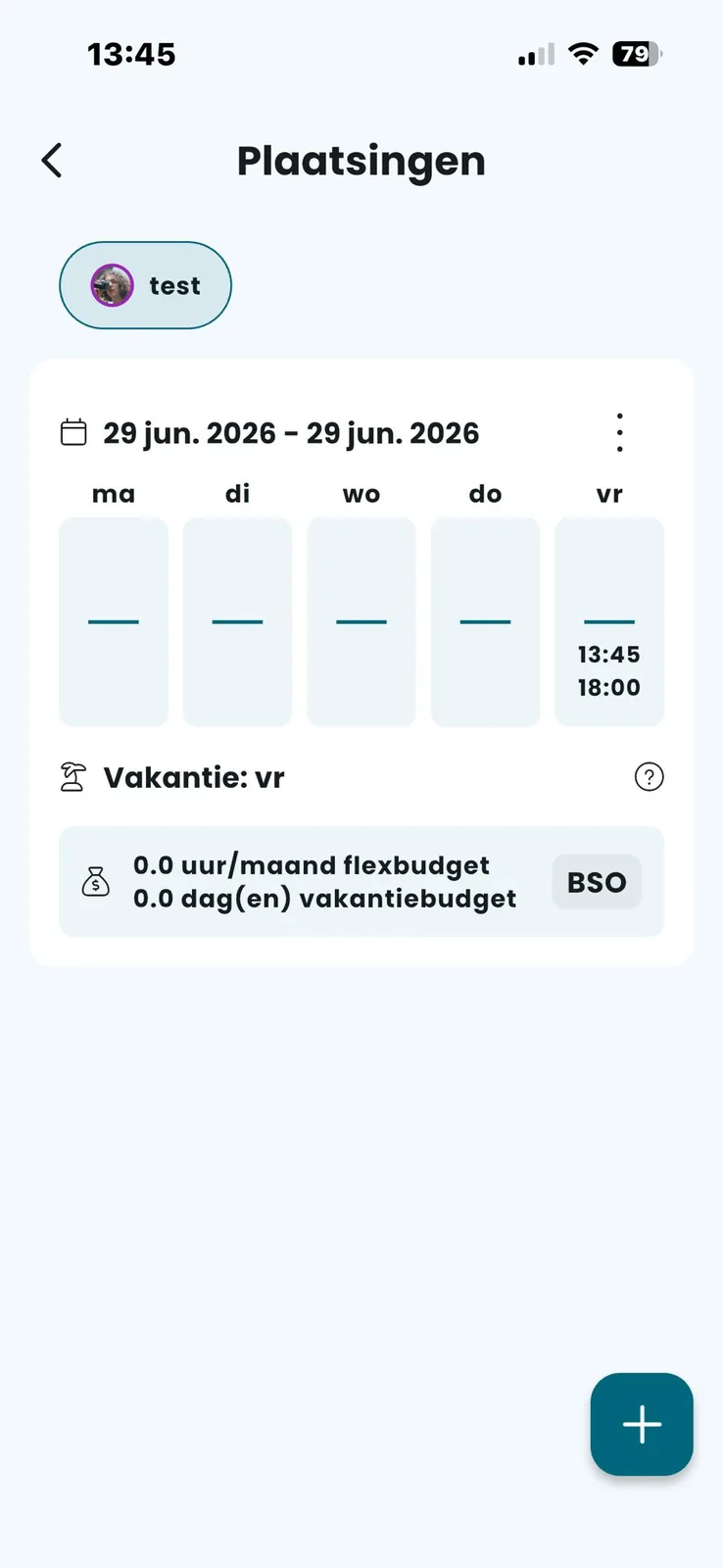
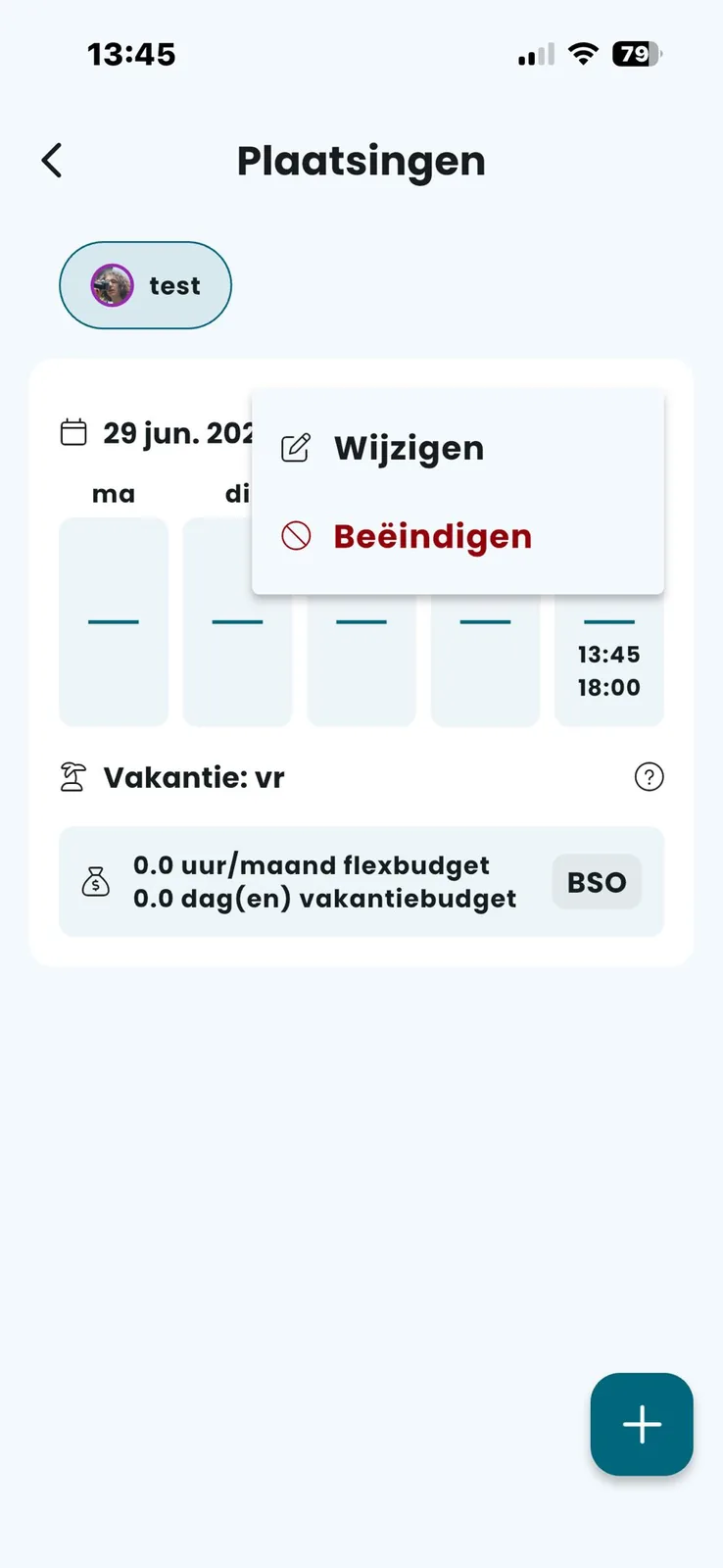
- Tap the three dots next to the booking (screenshot 2) and choose Wijzigen (Change) (screenshot 3).
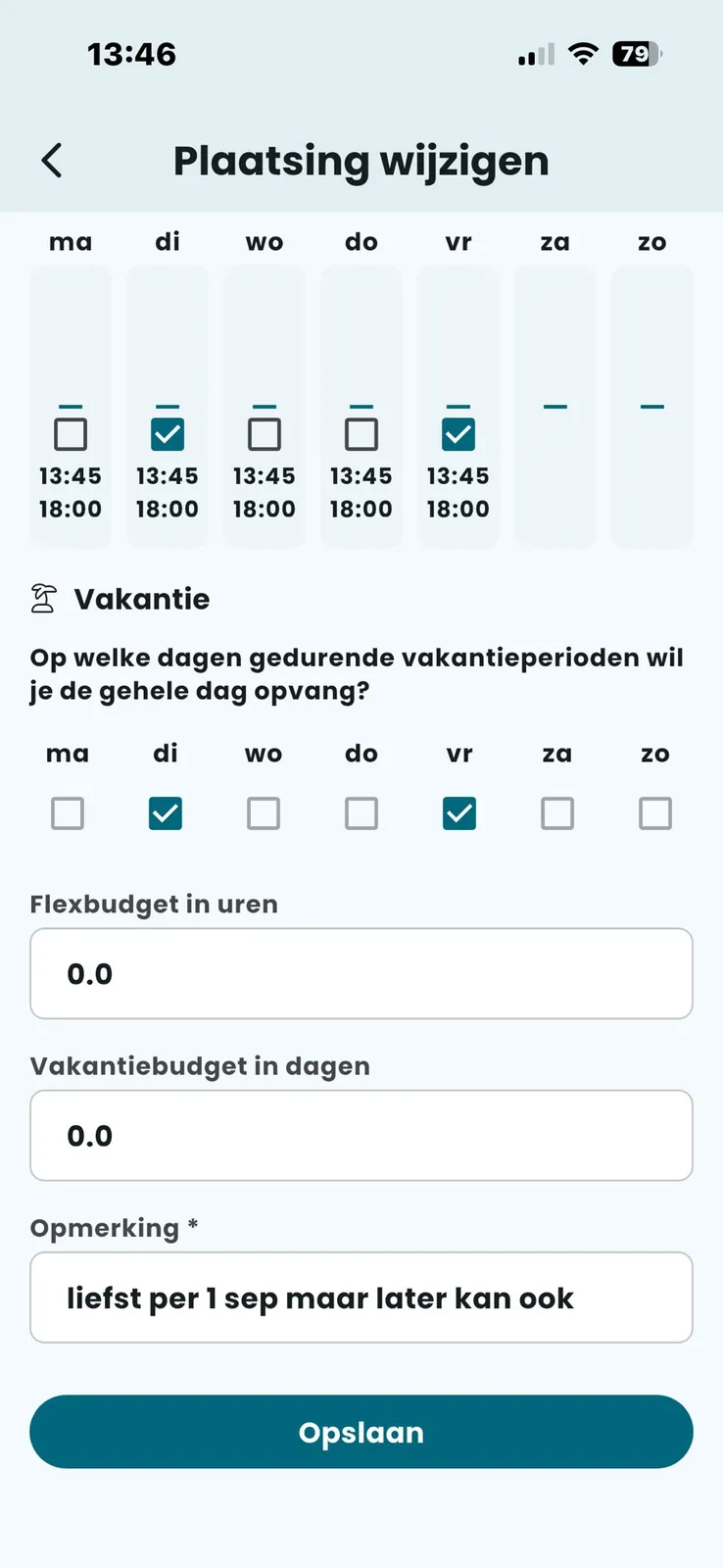
- Enter the date on which the change should start. Then tick the complete new situation, including the days that stay the same. For example, to go from Monday and Friday to Tuesday and Friday, untick Monday and tick Tuesday. Do the same for holiday care and tap Opslaan (Save) (screenshot 4).
- You can see your requested change by expanding Concept (Draft). You can cancel the request there if needed (screenshot 5).
-
I don't see any messages in the app. What can I do?
- Check in your phone's settings that notifications (push messages) are turned on for the parent app.
- You can find earlier messages under the Berichten (Messages) tab in the app.
-
I no longer receive emails from de Wonderberk. Is that right?
Yes, that's right. Since switching to our new planning system KIS, we can no longer email the parents of a group or location. You now receive these messages in the parent app.
Please turn on notifications for the parent app on your phone, so you don't miss anything.
-
What do I need to do to get the new app?
Did you previously use the Octopus parent app? Since our switch to KIS, please do the following:
- Log out of your current parent app.
- Log in again with your existing login details.
- Forgotten your login details? Tap Wachtwoord vergeten (Forgot password). You will receive an email with a link to set a new password.
- Turn on notifications (push messages) for the app on your phone. We now send all messages about the group or location through the app only.
You can find more information in the parent app manual (in Dutch).
Can't find your question? See the manual (in Dutch), email